When I first stepped into the world of construction, I was overwhelmed by the sheer number of moving parts in every project. Managing timelines, budgets, teams, and client expectations felt like juggling a dozen balls at once.
But over time, I learned that having the right construction planning tools for contractors can be a game-changer. Let me walk you through how I transformed my workflow using these tools, and why you should consider them too.
Why You Need Construction Planning Tools for Contractors

I remember my first big project like it was yesterday. I was still figuring out the balance between office tasks and fieldwork. Everything from scheduling meetings to tracking materials felt like a never-ending to-do list.
I needed a solution to manage all these tasks and streamline everything into one place. Enter construction planning tools for contractors—the unsung heroes that helped me stay on track.
These tools help reduce project delays, prevent cost overruns, and ensure that communication flows smoothly between the office and the job site. I quickly realized that the right tools would save me time, money, and a lot of headaches.
How Do Construction Planning Tools for Contractors Actually Work?
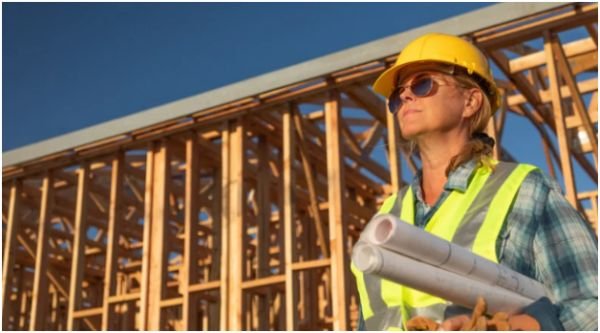
Let’s break it down. Whether you’re handling a large-scale commercial project or managing a few smaller ones, there are tools designed to meet your specific needs.
When I first started using construction planning tools, I had a mix of digital and physical tools. But now, it’s all about software and apps that integrate everything from scheduling to budgeting.
Comprehensive Management Software
One of the most effective construction planning tools I’ve used is Procore. It’s perfect for large-scale projects like commercial buildings or multi-family homes, whole house renovation. Procore integrates real-time field data with scheduling and financials, keeping everything in sync.
I can quickly pull up financial reports, monitor project timelines, and track field productivity—all from my phone or laptop.
For design-build teams, Autodesk Construction Cloud has been a lifesaver. It links 3D design data directly with construction schedules, making it easier to identify potential issues before they become problems.
For residential builders like myself, Buildertrend is also a great option. It combines scheduling, client communication, and budget tracking in one place, so I never miss an update or go over budget.
Specialized Planning & Scheduling Tools
Sometimes, it’s the smaller, specialized tools that make the biggest impact. For example, I use Fieldwire by Hilti for daily site task scheduling.
It’s a mobile-first app, which means I can make updates directly from the field. Whether I’m marking up plans or scheduling tasks for the day, everything is stored in one place.
Another tool that’s changed the way I manage timelines is Planera. With its digital whiteboard, I can collaborate with my team in real-time. It’s especially helpful for visualizing the schedule, and it even includes built-in risk analysis to help me prepare for potential issues.
Estimating and Calculation Tools
Accurate bidding is essential for any project. I’ve used STACK to streamline my takeoffs and bid generation. It’s a cloud-based tool that integrates with cost databases, allowing me to generate faster, more accurate bids.
For solo contractors, PlanSwift is a great budget-friendly, net zero home design for sustainable alternative. It simplifies digital takeoffs and basic cost calculations, making it easy to keep costs under control.
For estimating linear distances and volumes from physical blueprints, Calculated Industries 6135 Scale Master Pro XE has been invaluable. I can roll over plans to automatically calculate measurements—no more manual math!
How to Use Construction Planning Tools for Contractors Like a Pro

If you’re just starting, these tools may seem overwhelming. Here’s how I gradually introduced them into my routine to get the most out of them:
Step 1: Choose the Right Tool for Your Needs
The first step is selecting the right construction planning tools for your projects. For large-scale projects, go for comprehensive management platforms like Procore or Autodesk Construction Cloud. If you’re handling smaller residential projects, tools like Buildertrend and CoConstruct are more tailored to your needs.
Step 2: Integrate Everything into One Platform
The key to efficiency is integration. Once I started using tools like Procore, I ensured everything was connected—scheduling, budgets, communications—into one platform. This helped me avoid jumping between apps and losing track of important information.
Step 3: Train Your Team
Using these tools is only half the battle. I made sure my team knew how to use the tools, especially Fieldwire for task scheduling and Planera for risk analysis. A little training goes a long way in making sure everyone is on the same page.
Step 4: Regular Updates and Maintenance
Construction projects evolve, so it’s crucial to update schedules, budgets, and resources as the project progresses. I’ve learned to regularly check in on these tools to keep everything up to date and address issues before they snowball into bigger problems.
FAQs About Construction Planning Tools for Contractors
1. What’s the Best Construction Planning Tool for Small Contractors?
For small contractors, I recommend Buildertrend or CoConstruct. Both are designed with residential builders in mind and offer easy-to-use features for scheduling, client communication, and budgeting. They’re perfect for contractors who want a simple yet effective solution for managing their projects.
2. How Do I Integrate Construction Planning Tools with My Current Systems?
Most modern construction planning tools, like Procore and Autodesk Construction Cloud, offer integration options with other software. For instance, you can sync them with your accounting software, like QuickBooks, to manage costs more efficiently. If you’re new to this, I recommend working with a software consultant who can help set up the integrations.
3. Can I Use These Tools on My Mobile Device?
Yes! Many construction planning tools like Fieldwire by Hilti and Procore have mobile apps. This allows you to manage projects on the go, whether you’re in the office or out on the job site. It’s one of the features that makes these tools so effective in real-time collaboration.
4. How Can These Tools Help with Cost Estimation?
Construction planning tools like STACK and PlanSwift are designed to make cost estimation faster and more accurate. By using digital takeoffs and connecting to cost databases, these tools help you generate precise bids quickly. You can even track material costs and adjust your estimates in real-time.
Don’t Let Planning Hold You Back: Take Control Today!
If you’re like me, you know that time is money in construction. Every delay and misstep adds up, costing you both time and money. That’s why using the right construction planning tools for contractors is non-negotiable.
These tools have made my life easier, and they can do the same for you. With the right tools at your fingertips, you can streamline operations, improve communication, and ultimately deliver projects on time and on budget.
The best advice I can give you is to start simple. Choose a tool, integrate it into your workflow, and see the difference it makes. Trust me, once you get the hang of it, you’ll wonder how you ever managed without them.
Key Takeaways
- Choose the right tools: Whether you’re managing a small project or a large-scale build, the right tool is out there.
- Integration is key: Keep everything in one place to save time and reduce confusion.
- Don’t forget the training: Make sure your team knows how to use these tools effectively.
- Update regularly: Stay on top of your project’s progress with real-time updates.
Happy building!