
I never realized how much design and construction could be revolutionized by technology until I started using Building Information Modeling (BIM) tools. If you’re in the architectural, engineering, or construction industries, BIM can become your best friend.
Think about it: instead of relying on flat 2D blueprints, you get 3D models of your buildings and infrastructure, with every detail embedded in the model. These models are “smart,” meaning they adjust automatically whenever changes are made.
I’ve used various BIM tools throughout my projects, and they’ve saved me countless hours of rework, miscommunications, and mistakes. Today, I’m going to take you through some of my favorite tools, how they’ve transformed my workflow, and why you should be using them too.
Why Should You Use BIM Tools?
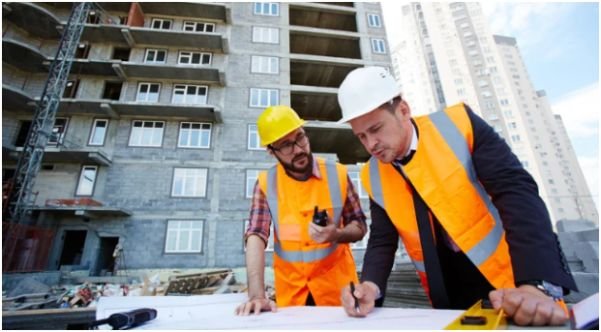
Before jumping into specific tools, let’s talk about the new technology in construction which is BIM. It’s not just about creating 3D models. It’s about transforming how teams collaborate, reducing errors, and improving efficiency from the earliest design phase all the way through construction and even operation.
BIM tools create a virtual representation of your project, with data on materials, costs, performance, and more, all rolled into one model.
I’ve been amazed at how much faster we can spot clashes between structural and architectural elements using tools like Autodesk Navisworks or Revit. This means less time fixing issues during construction and more time focusing on what really matters—delivering a high-quality project on time.
How Do BIM Tools Fit Into the Design and Construction Process?

You might be wondering, how exactly do these tools play out in the real world? Here’s the deal:
- Architects use BIM to sketch out the overall look and feel of the building, paying close attention to aesthetic design, space planning, and layout.
- Structural engineers dive deeper, using specialized tools like Trimble Tekla Structures to ensure that the bones of the building can hold up. They model the load-bearing elements like beams, columns, and foundations.
- Contractors get involved, using BIM to schedule and estimate costs, and make sure all the pieces fit together during the construction phase.
- Facilities managers can even use the final BIM models for long-term building management, monitoring energy efficiency and repairs.
These tools aren’t just for designing—they’re for making the entire process more efficient, with fewer hiccups.
The 4 Key BIM Tools You Need to Know
Let’s break down some of the BIM tools I’ve worked with and seen firsthand how they boost productivity.
1. Autodesk Revit (Architecture) – The Architect’s Favorite
I’ll start with Autodesk Revit because it’s my go-to tool for everything architecture. Revit allows me to create detailed 3D models of the building, including walls, windows, and doors, with just a few clicks. Its parametric design features mean that when I change one element—say, a window—the rest of the model updates automatically, saving me from having to go back and adjust every detail.
2. Trimble Tekla Structures – For Structural Integrity
For structural engineers, Trimble Tekla Structures is where the magic happens. It’s specialized for creating incredibly detailed steel and concrete models, which makes it the ideal tool when you’re dealing with complex, large-scale infrastructure projects.
This tool helps engineers like me design every bolt and weld to make sure everything fits together perfectly.
3. Autodesk Navisworks – Clash Detection and Coordination
This tool is a game-changer when it comes to collaboration. Autodesk Navisworks aggregates models from various disciplines—architecture, structure, and MEP (Mechanical, Electrical, Plumbing)—and performs clash detection.
If a structural beam collides with a window or doorway, Navisworks highlights the issue before it becomes a costly mistake on-site. I use it every time to ensure everything fits together seamlessly before construction begins.
4. Plannerly – The Cloud-Based BIM Manager
For managing all the information surrounding BIM, Plannerly is my favorite. It’s a cloud-based platform that focuses on BIM management, helping you organize all your documents, BIM Execution Plans (BEP), and requirements in one place.
It’s helped me streamline the administrative side of BIM, ensuring that everyone stays on the same page during the entire project.
How to Use BIM Tools Like a Pro
If you’re just getting started with BIM, don’t worry—I’ve got you covered with a simple, step-by-step guide to incorporating construction planning tools into your workflow.
1. Start with the Basics: Choose Your BIM Tool
Start by choosing the right tool for your discipline. Revit is perfect for architects, while Tekla Structures works best for structural engineers. If you’re managing the whole process, tools like Navisworks for clash detection or Plannerly for project management should be your go-to.
2. Create a 3D Model
Once you’ve selected your tool, begin creating the model. For architects, this is where you start planning spatial layouts and design elements. For engineers, you’ll start adding structural components and load-bearing calculations.
3. Use Coordination Tools
Next, bring your team together using tools like Navisworks. Make sure everyone’s model—whether architectural, structural, or MEP—aligns with no clashes or conflicts. Regular coordination meetings and updates are key here.
4. Test the Model
Once your model is complete, it’s time to run tests. This is where you check for potential problems, calculate load capacities, and simulate real-world conditions. Tekla Structures and Revit have built-in analysis features to make sure your design works under stress.
5. Collaborate and Improve
Finally, don’t forget to use BIM tools for collaboration throughout the project. As you move into construction, continue using tools like Plannerly to manage documents and Navisworks for ongoing clash detection.
Frequently Asked Questions (FAQs)
1. What is the main benefit of using BIM tools over traditional methods?
BIM tools streamline the entire construction process, from design to completion, by creating a digital 3D model with all the information embedded. This makes collaboration easier, reduces errors, and speeds up project timelines.
2. Are BIM tools difficult to learn?
While there is a learning curve, most BIM tools are designed to be user-friendly. With training and practice, you can quickly master them. Autodesk, for example, offers plenty of resources to help you get started with Revit and other tools.
3. Can BIM tools be used for small-scale projects?
Yes! While BIM is often used for large projects, there’s no reason why you can’t use it for smaller ones. In fact, using BIM for smaller projects can help you optimize your workflow and avoid costly mistakes.
4. How can I integrate BIM tools into my existing workflow?
Start by gradually incorporating BIM tools into your current processes. Begin with a small project or a single tool and expand from there. It’s all about finding the right tool for your needs and integrating it into your workflow at your own pace.
Conclusion: Why BIM Tools Are a Game-Changer for Construction
After using BIM tools in my own projects, I can’t imagine going back to the old way of doing things. Whether you’re designing a skyscraper or a small office, BIM tools help you streamline processes, reduce mistakes, and create smarter, more sustainable buildings.
They make collaboration smoother and give you the confidence to know your project will come out just the way you envisioned.
So, if you’re still hesitant about diving into BIM, I say go for it! Once you start using these tools, you’ll wonder how you ever managed without them. Trust me, it’s worth it.
Key Takeaways:
- BIM tools help improve design, coordination, and construction efficiency.
- They’re ideal for both large and small projects.
- Choosing the right tool—whether Revit, Tekla, or Navisworks—depends on your role in the project.
- BIM tools are collaborative, helping reduce errors and miscommunication across teams.